How to Check Telenor MBs in Pakistan 2026 – Easy MB Check Code & Methods
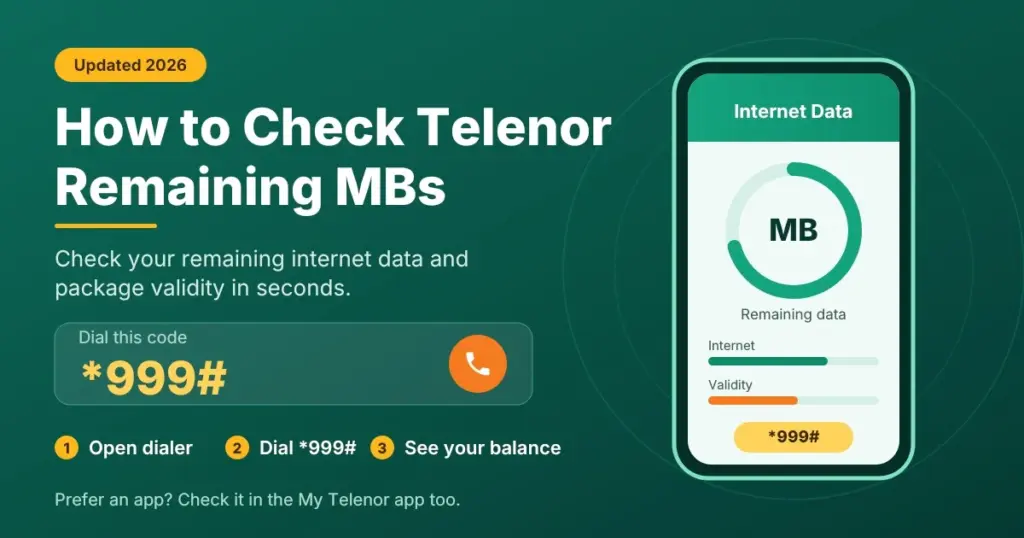
To check your remaining Telenor MBs in Pakistan, dial *999# from your Telenor SIM. Your remaining internet data will appear on your mobile screen. You can also use the My Telenor App to check your internet MBs, call minutes, SMS, and bundle validity.
In this guide, you will learn how to check Telenor MBs using a USSD code, the mobile app, and other available methods. We will also explain checking charges, bundle expiry, and common problems.
You can check daily answers and stay updated with the latest Telenor quiz information.
What Is the Telenor MB Check Code?
The Telenor MB check code is *999#. It allows Telenor users to check their remaining internet data without opening an internet browser or using mobile data.
Here are some useful Telenor balance and resource check codes:
| Service | Telenor Code |
| Telenor MB check code | *999# |
| Telenor data check code | *999# |
| Remaining minutes check | *222# |
| Remaining SMS check | *111# |
| Bundle information | *123# |
| Main balance check | *444# |
These codes are listed in Telenor’s official self-service information.
How to Check Telenor MBs Using USSD Code
You can check your Telenor internet MBs through a USSD code directly from your phone. This method works without an internet connection, so you can use it even when your mobile data is turned off.
Step-by-step method to check remaining MBs
Follow these simple steps to check your remaining Telenor data:
- Open the dialer on your mobile phone.
- Enter *999#.
- Press the call button using your Telenor SIM.
- Wait a few seconds for the response.
- Your remaining internet MBs will appear on the screen.
For example, if your internet package includes 5,000 MB and you have used 2,000 MB, the remaining balance should be around 3,000 MB.
The actual amount depends on your package usage and the information returned by Telenor.
How to check MBs without internet
You do not need Wi-Fi or mobile data to check your remaining Telenor MBs. Simply dial *999# from your Telenor number.
This is a useful option when your internet package has expired or you have no remaining data. However, the USSD service may require a small checking fee.
How to Check Telenor MBs Through the Mobile App
The My Telenor App provides another way to check your remaining internet MBs online. It displays your available resources and package information in one place.
Follow these steps:
- Download the My Telenor App from the Google Play Store or Apple App Store.
- Open the application.
- Enter your Telenor mobile number.
- Complete the verification process.
- Open the home screen or account dashboard.
- Check your remaining internet MBs, minutes, and SMS.
The app is useful if you want to check more than your internet balance. You can also view available offers and manage supported services.
Tip: Use a Wi-Fi connection if you have no remaining mobile data. You can also use the USSD method if you only need to check your MBs quickly.
How to Check Telenor 4G Device Remaining MBs
If you use a Telenor 4G device, you may need to check the internet balance of the SIM installed inside it.
There are a few ways to do this, depending on your device model:
- Use the SIM in a mobile phone: Remove the SIM from your 4G device, insert it into a compatible phone, and dial *999#.
- Use the device dashboard: Some 4G devices provide a dashboard where you can access connected-device and network information. Check whether your model supports USSD or SMS services.
- Use My Telenor App: If your device SIM can be verified and accessed through the app, check its remaining resources there.
Keep in mind that not every 4G device supports USSD commands through its web dashboard. The available options depend on the device model.
Telenor MB Check Charges and Bundle Validity
Before using the Telenor MB check code, you should know that checking your internet balance may involve a small charge.
According to Telenor’s published self-service information, dialing *999# costs 20 paisa plus applicable tax, listed as 24 paisa.
Here is a quick overview:
| Detail | Information |
| MB check code | *999# |
| Published checking charge | Rs. 0.24 |
| Internet required | No |
| Bundle information | *123# |
Charges and taxes can change, so check the latest terms before relying on the listed amount.
To check your bundle information and validity, dial *123#. You can also check your package details through the My Telenor App.
Common Problems When Checking Telenor MBs
Sometimes, users cannot check their remaining internet data even after dialing the correct code. This can happen because of network problems, SIM issues, or temporary service errors.
What if *999# does not work?
If the Telenor MB check code is not working, try these solutions:
- Check whether your phone has a Telenor network signal.
- Make sure you are dialing the correct code.
- Restart your mobile phone.
- Turn airplane mode on and off.
- Try again after a few minutes.
- Contact Telenor customer support if the problem continues.
You can also try the My Telenor App to view your remaining internet resources.
Why are remaining MBs not showing correctly?
Sometimes, the remaining MBs displayed on your phone may not match your expected data balance.
Possible reasons include:
- You have used mobile data since your last balance check.
- Background applications have consumed internet data.
- Your package has expired.
- You have multiple active internet bundles.
- The network has not updated your usage information yet.
Check your active packages and usage details through the My Telenor App to understand your remaining resources.
How to Avoid Unexpected Telenor Data Deductions
Unexpected internet deductions can happen when your package expires or your phone continues using mobile data without an active bundle.
Follow these tips to manage your internet balance:
- Check your MBs regularly: Dial *999# to see how much data is left.
- Monitor bundle expiry: Check your package validity before using mobile data.
- Turn off background data: Restrict unnecessary apps from using mobile internet.
- Disable automatic updates: Set app updates to Wi-Fi only.
- Turn off mobile data when not needed: This can help prevent unwanted data usage.
- Check active packages: Use the My Telenor App to review your subscriptions.
These simple steps can help you manage your Telenor internet balance and reduce unexpected deductions.
Frequently Asked Questions
Can I check Telenor MBs without balance?
You can try dialing *999# without having regular prepaid balance. However, Telenor lists a checking charge for this service, so the request may not work if your balance is insufficient.
Can I check remaining MBs for free?
The My Telenor App provides a convenient way to view your remaining resources. However, the USSD code *999# has a published checking charge of 24 paisa, including tax. Standard mobile data charges may apply when using the app without Wi-Fi.
How can I check my remaining MBs expiry date?
You can check your bundle information by dialing *123#. The My Telenor App is another option for viewing your active packages and their validity details.