
Telenor Balance Check Code 2026: How to Check Your Balance in Pakistan
The Telenor balance check code is *444# in Pakistan. Dial this code from your Telenor SIM to check your remaining prepaid balance without an internet connection.
Telenor may charge a small fee for this inquiry. You can also check your balance through the My Telenor App or contact customer support if the USSD code does not work. For more Telenor updates, you can also follow Telenor Today Answers on our site.
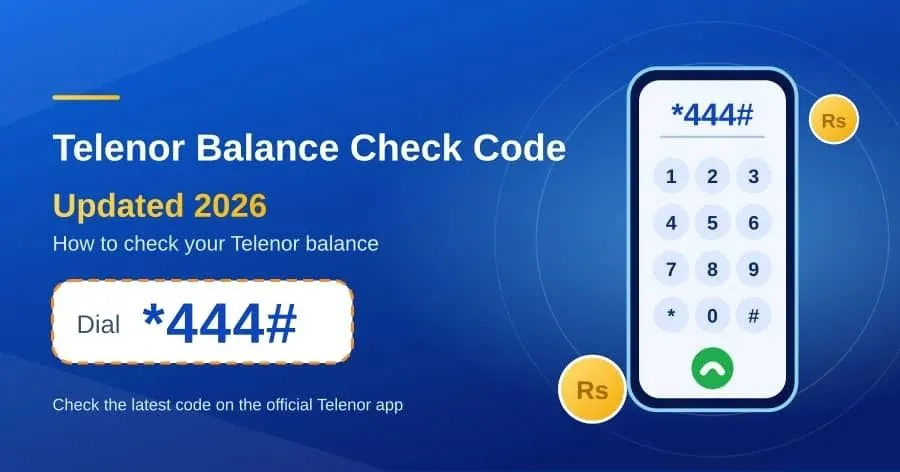
How to check your Telenor balance with *444#
You do not need mobile data, Wi-Fi, or a smartphone. A basic phone with an active Telenor SIM is enough.
- Open the phone’s dialer.
- Enter *444#.
- Press the call button using your Telenor SIM.
- Wait for the USSD request to process. Your balance should appear on the screen.
Charges and conditions
Telenor’s published code sheet lists the balance inquiry charge as Rs. 0.20 plus tax (Rs. 0.24 in total) per request. The fee is deducted from your balance, so repeated checks reduce your credit slightly. The amount shown is your account credit, not the value of your remaining package resources.
To avoid the fee, use the My Telenor App, which its official listing says lets customers check balance and bill for free. Charges can change, so confirm with customer support if the displayed fee differs.
Alternative ways to check your Telenor balance
You can use the My Telenor App or the helpline if you cannot use the balance check code. If you also need to find your own SIM number, you can use the Telenor number check code or ask the 345 helpline.
My Telenor App: Download it from the Google Play Store or Apple App Store, enter your Telenor number, complete the verification, and open the home screen to see your balance and remaining resources. It also shows data, minutes, SMS, active offers, and bill information, and supports both prepaid and postpaid users. If your mobile data is limited, download it over Wi-Fi.
Helpline: Dial 345 from your Telenor SIM, follow the automated instructions, and ask about your balance, unexplained deductions, or active services. Call charges may depend on current terms.
How to check remaining Telenor MBs, minutes and SMS
| What you want to check | USSD code | Inquiry charge |
|---|---|---|
| Main balance | *444# | Rs. 0.24 |
| Remaining internet MBs | *999# | Rs. 0.24 |
| Remaining call minutes | *222# | Rs. 0.24 |
| Remaining SMS | *111# | Rs. 0.24 |
| Remaining bundle resources | *123# | Rs. 0.24 |
These codes and charges come from Telenor’s published self-service document, so check them against current terms. Your main balance and bundle resources are different. For example, you may have Rs. 100 credit and 500 MB left in a data package, but If your minutes are finished, you can subscribe to Telenor call packages from the My Telenor App. In the same way, you can activate Telenor SMS packages if your SMS bundle has run out.
Postpaid users should check their bill and usage in the My Telenor App or by calling 345, instead of relying on a prepaid balance.
What to do if the Telenor balance check code is not working
If *444# fails, the cause is usually a weak signal, a temporary USSD issue, a wrongly typed code, the wrong SIM selected on a dual-SIM phone, or an inactive or restricted SIM. Try these steps:
- Move to an area with better Telenor coverage.
- Dial *444# again carefully.
- Select the Telenor SIM before dialing if your phone has two SIMs.
- Restart your phone.
- Make sure your SIM is active and can make calls.
- Check your balance in the My Telenor App.
- Dial 345 if the problem continues.
If other USSD codes also fail, the problem is likely your SIM or network, not the balance service.
How to protect your Telenor balance from unwanted deductions
Your balance can drop when you use mobile data without an active package, when a paid service renews automatically, or when a subscription stays active.
- Review your active packages, expiry dates, and renewals in the My Telenor App, or dial *710# for Telenor’s self-service menu.
- Check your remaining MBs with *999# and activate one of the Telenor internet packages before your data runs out, so you are not charged at standard rates.
- Turn off unwanted automatic renewals where the option is available.
- Look for the Save Balance feature in the app, or ask 345 about the Telenor balance save code, if available for your account.
- If you cannot identify a deduction, call 345 and ask for a usage and deduction breakdown.
Never share your PIN, password, or OTP with anyone claiming to offer balance recovery.
Telenor advance balance code when your credit runs out
Telenor has offered an emergency balance service for prepaid customers. A previously reported Telenor advance code is *0#, but its current availability and charges could not be confirmed through an up-to-date official Telenor source.
To try it, dial *0# from your Telenor SIM and review the amount and service fee before accepting. You can also check the loan option in the My Telenor App. The fee is usually deducted along with the borrowed amount from your next recharge. A 2022 report mentioned a Rs. 30 advance with a Rs. 7 fee, but do not treat this as a current rate. Confirm the amount, fee, and eligibility with customer support first.
Frequently asked questions
Is checking Telenor balance free?
No, checking your Telenor balance through USSD is not free. Each inquiry costs Rs. 0.24, including tax. However, you can use the My Telenor App to check your balance without a separate USSD inquiry fee. Data charges may apply when using mobile data.
Can I check my Telenor balance without internet?
Yes, you can check your Telenor balance without an internet connection. Simply dial *444# from your active Telenor prepaid SIM and make sure your phone has a network signal.
Can I check my Telenor balance online?
Yes, you can check your available balance online through the My Telenor App. Log in using your Telenor mobile number to view your remaining credit and account details. A public website facility for checking live prepaid balance has not been confirmed.
How many times can I check my Telenor balance?
Telenor does not specify a daily limit for balance inquiries. However, each successful USSD inquiry may cost Rs. 0.24, including tax. If you check your balance frequently, the My Telenor App is a convenient alternative.
What should I do if my Telenor balance decreases automatically?
If your Telenor balance decreases automatically, check your usage history and active subscriptions through the My Telenor App. Common reasons include mobile data usage outside an active package, automatic package renewals, paid services, and calls or SMS charged at standard rates. If you cannot identify the deduction, contact Telenor helpline at 345 for assistance. If you accidentally sent balance to the wrong number, ask customer support about the Telenor load reversal code.