
Telenor Balance Save Code 2026: How to stop unwanted balance deductions
The Telenor balance save code *342# helps prepaid users protect their mobile balance from unexpected deductions when using mobile internet without an active data bundle. If your balance disappears while browsing, activating a balance protection service may help prevent these charges.
Telenor Pakistan users should check the current activation code, service charges, and eligibility before subscribing. The exact service terms can change, so avoid relying on an old code without checking its current status.
What is the Telenor balance save code?
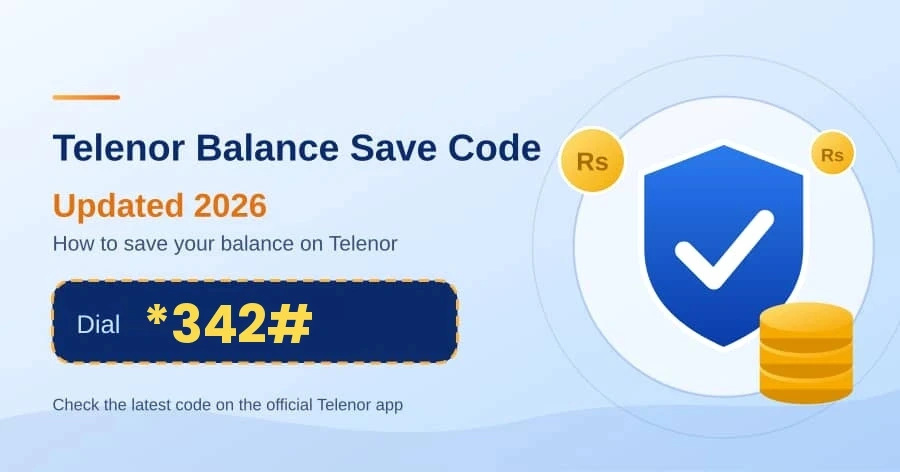
The Telenor Balance Save code is *342#. Dialing this code activates a Pay-As-You-Go (PAYG) data blocker, which stops mobile internet use from consuming your main balance after your data bundle expires or runs out.
The Pakistan Telecommunication Authority (PTA) has also advised mobile users to activate this type of balance protection service.
For more updates, visit Telenor Quiz Today to check today’s My Telenor quiz questions and answers.
Telenor balance save code and its purpose
The Balance Saver service protects your remaining mobile credit from unexpected internet charges.
For example, suppose you subscribe to a 5 GB internet package and use all 5 GB before its expiry date. Without balance protection, background apps or other internet activity may continue using mobile data at standard PAYG rates.
With Balance Saver active, mobile data access is blocked when your bundle is exhausted. You can then subscribe to another package or use Wi-Fi.
Quick summary of activation, charges and availability
Here are the main details reported for Telenor Balance Save in Pakistan in 2026.
| Service detail | Information |
| Service name | Telenor Balance Save |
| Activation code | *342# |
| Main purpose | Blocks out-of-bundle mobile data |
| Charges | Free, according to PTA guidance |
| Activation method | USSD code |
| Internet connection required | No |
| Main benefit | Protects balance from PAYG data charges |
The PTA has described Balance Save as a free service. However, check the confirmation message after dialing the code for the current service terms.
How to activate the Telenor balance save code
You can activate Telenor Balance Save Code directly from your phone by dialing *342#. You do not need to install another application or use a Wi-Fi connection.
Step-by-step activation using the USSD code
Follow these steps to activate the service:
- Open the phone dialer on your mobile.
- Select your Telenor SIM if you use a dual-SIM phone.
- Dial *342#.
- Press the call button.
- Wait for the USSD response from the network.
- Follow any instructions displayed on your screen.
- Check for an activation confirmation message.
Note: The code is reported by PTA for Telenor Balance Save. If the network displays an error or a different service menu, confirm the current code with customer support.
How to confirm that the service is activated
After dialing the code, check your phone for a confirmation message.
You can use these steps:
- Wait for the USSD response to finish.
- Read any message confirming successful activation.
- Check your SMS inbox for a service confirmation.
- If you receive no confirmation, contact customer support before assuming the service is active.
Do not rely only on the fact that the code was dialed. A successful network confirmation is a better indication that the service has been enabled.
Is the Telenor balance saver free?
Yes. The PTA has described the Balance Save or PAYG Blocker service as free for mobile users. You should not confuse this service with a paid internet package or supplementary data offer.
Activation charges and recurring fees
According to the PTA’s March 2026 advisory, activating the Balance Saver service does not require an additional subscription fee. The service is intended to prevent out-of-bundle internet charges.
Keep these points in mind:
- The Balance Saver service is reported as free.
- It does not provide additional internet MBs.
- Normal charges for calls, SMS, and paid subscriptions may still apply.
- Check the USSD response before accepting any service with a stated price.
Who can use the balance saver service?
The service is intended for Telenor customers who want to avoid unexpected mobile internet deductions.
However, the available PTA advisory does not clearly confirm separate eligibility rules for prepaid and postpaid accounts. If you use a postpaid SIM, ask customer support whether the service is available on your connection.
Why does your Telenor balance get deducted?
Your Telenor balance can decrease when your phone uses services that are not covered by an active package. Mobile internet is a common reason, but paid subscriptions and other charges can also affect your credit.
Mobile internet usage without an active bundle
This is one of the most common reasons for unexpected balance deductions.
When your internet package expires or you use all its MBs, your phone may continue to access the internet. The network can then charge you at its standard PAYG data rate.
For example:
- You subscribe to a weekly internet package.
- You use all the available MBs before the package expires.
- You keep mobile data switched on.
- Your phone continues connecting to online services.
- Your remaining balance may be charged for internet usage.
Activating Balance Saver can help prevent this type of deduction.
Automatic renewals and background app data
Some smartphone apps use mobile data even when you are not actively using them.
Common examples include:
- WhatsApp downloading photos and videos.
- Facebook and Instagram refreshing content.
- Google Play Store updating applications.
- Cloud services syncing photos and files.
- Email apps checking for new messages.
Automatic package renewals can also affect your balance if a paid offer has renewal enabled and sufficient credit is available.
Check your active subscriptions and phone data settings if you notice repeated deductions.
Other possible reasons for unexpected deductions
Internet usage is not the only possible cause. Other reasons include:
- Paid subscriptions: An active service may charge a daily, weekly, or monthly fee.
- Call charges: Calls outside your Telenor call packages bundle may use your main balance.
- SMS charges: Messages sent outside an SMS packages bundle may be charged separately.
- Package renewal: An offer may renew according to its terms.
- Out-of-bundle usage: Internet or other services may be charged after your included resources run out.
If you cannot identify the charge, ask Telenor customer support for a usage and deduction record.
How to stop balance deductions while using mobile internet
You can reduce unexpected deductions by checking your remaining data, switching off mobile data when necessary, and limiting background internet access.
Check your remaining internet MBs before browsing
Use the Telenor MB check code to see how much data remains in your active package.
Dial *999# from your Telenor SIM to check remaining internet resources.
You can also check your package details through the My Telenor App.
Make it a habit to check your data before activities that use a lot of MBs, such as:
- Watching YouTube videos.
- Downloading large files.
- Using video calls.
- Updating smartphone applications.
- Streaming music or movies.
Turn off mobile data when your bundle expires
Switching off mobile data is a simple way to prevent your phone from using PAYG internet.
Follow these steps:
- Open your phone’s Settings.
- Go to Mobile Network or SIM Settings.
- Find the Mobile Data option.
- Turn mobile data off when your package expires or runs out.
- Subscribe to another internet package before turning it back on.
You can also use Wi-Fi when available.
Adjust background data and automatic updates
You can control which applications use mobile data in the background.
On most Android phones:
- Open Settings.
- Select Apps or Applications.
- Choose an app that uses too much data.
- Open its Mobile Data or Data Usage settings.
- Restrict background data if the option is available.
You should also check Google Play Store settings and set app updates to Wi-Fi only.
The exact menu names depend on your phone model and Android version.
How to deactivate the Telenor balance save
If you want to turn off Balance Saver, check the service menu or contact Telenor customer support. A separate deactivation code could not be confirmed from the available official information.
Code and steps to turn off the service
The activation code identified for Telenor Balance Save is *342#. However, a separate, verified deactivation code is not available in the sources checked for this article.
Try the following approach:
- Dial *342# from your Telenor SIM.
- Check whether the USSD menu provides a deactivation option.
- Follow the displayed instructions if an option is available.
- Read the confirmation message before assuming the service has been deactivated.
Do not dial random codes found on websites or social media to cancel the service.
What to do if deactivation does not work
If the USSD menu does not provide a deactivation option, contact Telenor support.
Explain that you want to deactivate Balance Saver and ask the representative for the correct procedure.
Before ending the conversation, ask for confirmation that the service status has changed.
What is the difference between balance saver and Bill Shock Offer?
Balance Saver and Bill Shock Offer are different concepts. Balance Saver blocks out-of-bundle internet usage, while a supplementary data offer provides additional internet resources under its own conditions.
How the two services protect your balance
Here is the basic difference:
| Feature | Balance Saver | Bill Shock Offer |
| Main purpose | Blocks PAYG data usage | Provides supplementary data |
| Balance protection | Prevents out-of-bundle data charges | Depends on the offer’s terms |
| Extra MBs | No | Only if included in the offer |
| Charges | Reported as free | Must be checked before activation |
| Activation | *342# | |
| Validity | Subject to service terms |
Some older websites describe a Telenor Bill Shock supplementary offer with 300 MB of data for Rs. 5. However, its current availability and subscription terms could not be independently confirmed. Do not assume that an old offer code or price is still valid.
Price, Code and Validity+1
Which option should you use?
Choose Balance Saver if your main concern is unexpected deductions after your internet bundle runs out.
A supplementary data offer may be useful if you need more internet after consuming your regular package. However, check its current price, data allowance, and validity before subscribing.
For most users who want to protect their remaining balance, Balance Saver is the more direct option.
What to do if your balance is still decreasing
If your balance continues to decrease after activating Balance Saver, check your active services and identify the source of the deductions.
Remember that Balance Saver is designed to block out-of-bundle mobile data. It does not automatically stop every type of charge on your SIM.
Check active subscriptions and internet packages
Use the available Telenor self-service options to review your account.
The official Telenor self-service resource lists *710# as a menu for checking active offers, balance usage, package information, and other account services.
You can also:
- Open the My Telenor App.
- Sign in using your Telenor number.
- Review your active internet and other packages.
- Check the validity and remaining resources.
- Look for services you do not recognize.
- Contact customer support if you find an unexpected subscription.
Cancel unwanted paid services only after checking their names and terms.
Contact customer support and report unexplained deductions
If you cannot identify why your balance is decreasing, contact Telenor customer support.
The official Telenor self-service resource lists 345 as the individual prepaid and postpaid customer helpline.
When contacting support:
- Explain when you noticed the deductions.
- Mention the approximate amount deducted.
- Provide the date and time of the transactions if available.
- Ask for a breakdown of the charges.
- Request help with unwanted subscriptions or unexpected internet usage.
You can also visit the official Telenor Pakistan website for support and service information.
Never share your account PIN, password, or OTP with anyone claiming to investigate your balance problem.
Frequently asked questions
What is the Telenor balance save code in 2026?
The Telenor Balance Save code is *342#. Dial it from your Telenor SIM to access the Balance Save service, which blocks mobile internet usage at PAYG rates after your data bundle runs out. The PTA has listed this code for Telenor Pakistan.
Does the balance saver work on prepaid and postpaid SIMs?
The available PTA advisory does not clearly specify whether both prepaid and postpaid customers can use the service. Prepaid users can check availability by dialing *342#. Postpaid customers should confirm eligibility with customer support.
Can the balance saver stop all balance deductions?
No. Balance Saver is designed to prevent out-of-bundle mobile data charges. It does not automatically block call charges, SMS charges, paid subscriptions, or other account fees.
Check your active services if your balance continues to decrease.
Does activating balance saver affect internet packages?
Balance Saver does not provide additional MBs or cancel your existing internet package. It blocks mobile data usage that would otherwise be charged at PAYG rates after your bundle runs out.
You can continue using your available package resources according to their normal terms.
How can I check my remaining Telenor balance?
Dial *444# from your Telenor SIM to check your remaining mobile balance.
To check your remaining internet MBs, dial *999#. You can also use the My Telenor App to review your account and package details.
The USSD inquiry codes may have charges, so check the current rates before making repeated requests.
Can I use the balance saver while roaming?
The available information does not confirm whether Telenor Balance Saver works in every international roaming situation.
Roaming data charges follow separate network and package terms. Contact Telenor support before traveling abroad to confirm how your balance protection service works while roaming.